
Off-grid messaging that doesn't need your phone.
Solo is companion firmware for MeshCore LoRa radios. Messages, maps and tools run on the device itself, and the MeshCore app still connects whenever you want it.
- Free and open source
- Works with the MeshCore app
- Joystick, keyboard or touch
Messages
Chat without a phone
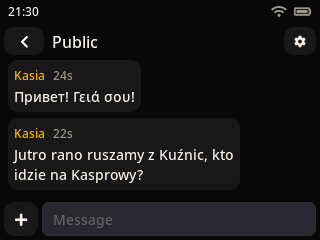
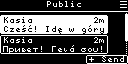
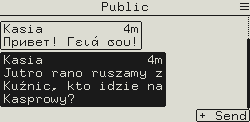
Channels, direct messages and rooms, typed on the device. The keyboard does Latin, Cyrillic and Greek, with every European accent a long press away.
- Quick replies, one tap to send
- Placeholders fill in your position, time or battery
- Delivery ticks and the path a message took
Navigation
Find your way, and back
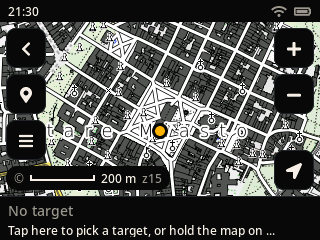
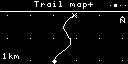
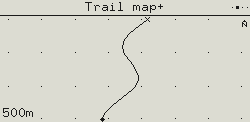
Record a trail and export it as GPX, mark waypoints, and navigate to any node, waypoint or shared location. The GPS alone gives you a heading, no compass chip needed.
- Live location sharing, for hours at a time
- An alert when you arrive, or someone gets close
- On color screens: offline maps from the SD card
Nearby
See who's out there
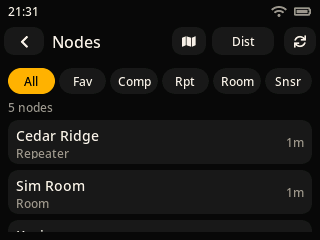
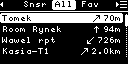
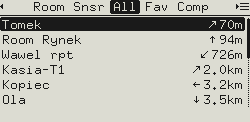
Every node you've heard, with signal, distance and when it was last seen. Ping one, message it, or log in to your own repeaters and rooms and manage them from the field.
- Filter by companions, repeaters, rooms, sensors
- Favourites shared with the phone app
Tools
The small things, built in
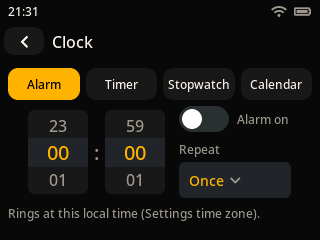
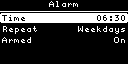
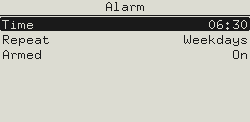
An alarm clock, timer and stopwatch, a bot that answers commands over the mesh, repeater mode, a ringtone editor and diagnostics. A screen lock with an optional PIN keeps pocket presses out.
Devices
One firmware, three ways to drive it
The same features everywhere; only the controls change with the device.
Wio Tracker L2
ESP32-S3 · 320×240 touch LCD · SD card, WiFi
newWio Tracker L1
nRF52840 · OLED 128×64 or 2.13″ e-ink 250×122
readyWio Tracker L1, big e-ink
nRF52840 · 4.2″ 400×300 or 4.26″ 800×480 e-ink
experimentalGAT562 30S Mesh Kit
nRF52840 · OLED 128×64
readyM5Stack Cardputer ADV
ESP32-S3 · 240×135 LCD · built-in keyboard
experimentalT-Echo Lite + KeyShield
nRF52840 · 1.22″ e-ink 192×176
experimentalHeltec V3 / V4, GAT562 Watch13, ProMicro
ESP32-S3 or nRF52840 · OLED 128×64
experimentalInstall
Flash it in a minute
Coming from other firmware? Back up in the MeshCore app first, then erase the flash with MeshCore Flasher. Later updates go over the air: Bluetooth DFU on nRF52, WiFi on the Wio Tracker L2.
L1, GAT562, T-Echo Lite, ProMicro
- Download the
.uf2for your board from the latest release - Double-tap reset: a USB drive appears
- Drag the file onto it
L2, Heltec, Cardputer
- Download the
-merged.binfor your board from the latest release - Flash it at offset
0x0with MeshCore Flasher or esptool
USB tools
Screenshots, trails and settings, straight from the device
Plug the device into a computer and connect it here to take pictures of its screen, save its GPS trail as a GPX file or change its settings from a console. This needs Chrome or Edge on a computer. Disconnect the phone app from Bluetooth first.
Not connected
This browser can't talk to USB devices (it has no Web Serial). Open the page in Chrome or Edge on a computer. You can still open a GPX file below.
What's on the screen, as a PNG
Screenshots you take appear here. Click a name to rename it.
Your GPS trail, as a GPX file
OLED: Tools › Trail, hold Enter, Trail file › Export. A color screen saves the GPX to its SD card: open the file from there.
Waiting for an export from the device, or drop a .gpx file here.
Settings as text
The same commands as the phone app's console: get radio, set tx 14, get name, and every setting by its key, e.g. get telemetry.base or set display.off 30 s. keys lists them. Needs Solo 2.0 or newer.